 Tonic
Features
Everything in Tonic
This is the whole list, so you can check before you buy. Every instrument, tuning, lesson, drill and band feel below is included in the one $4.99 purchase, on iPhone and iPad.
Tuner
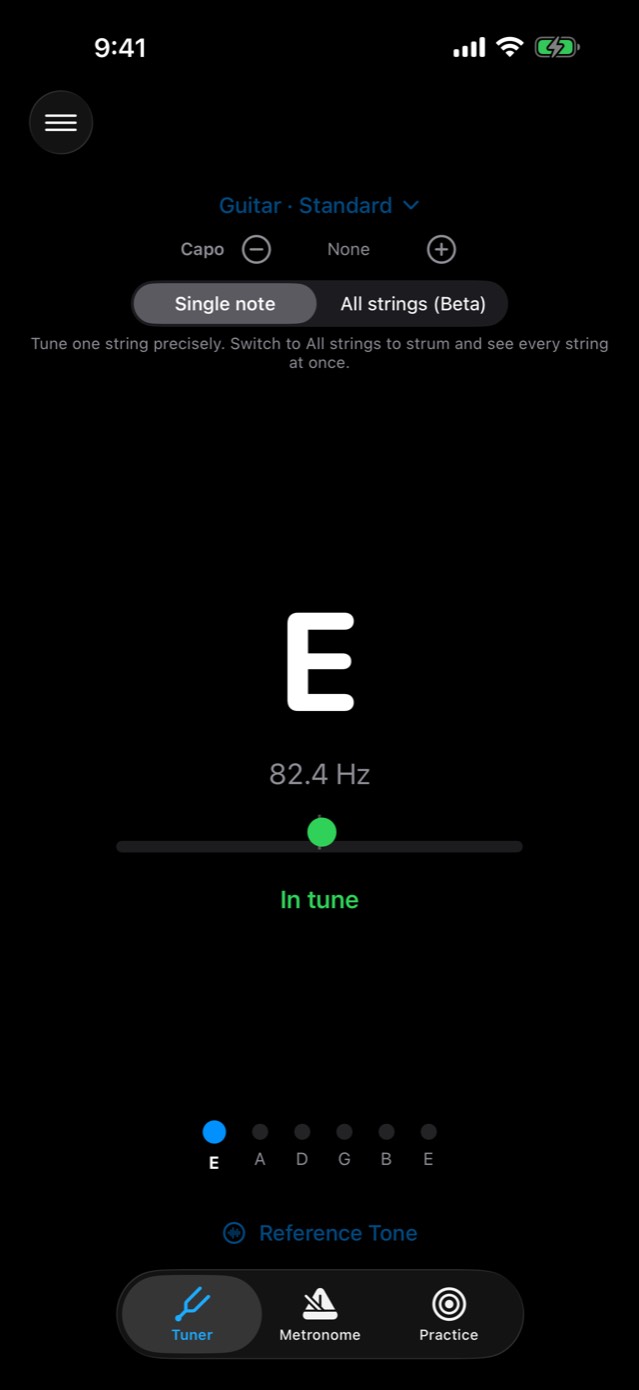
A chromatic tuner with a cents meter or a strobe. Pick an instrument and tuning, or let it name any note.
Instruments and tunings
| Instrument | Tunings |
|---|---|
| Guitar | Standard, Drop D, Half-Step Down, Whole-Step Down, Drop C, Drop B, Open G, Open D, Open E, Open C, Open A, Open D Minor, DADGAD, Baritone (B Standard) |
| 7-string guitar | Standard, Drop A |
| 8-string guitar | Standard, Drop E |
| 12-string guitar | Standard (octave pairs on the four low courses) |
| Bass | 4-string Standard, Drop D, Half-Step Down, Drop C; 5-string Standard; 6-string Standard |
| Ukulele | Standard (GCEA), Low G, Baritone (DGBE), D Tuning (ADF♯B) |
| Mandolin | Standard (GDAE) |
| Banjo (5-string) | Open G, Double C, Sawmill (Modal G), Open D |
| Violin | Standard (GDAE), Cross A (AEAE), Cross G (GDGD) |
| Viola | Standard (CGDA) |
| Cello | Standard (CGDA) |
| Double bass | Orchestral (EADG), Solo (F♯BEA), Fifths (CGDA) |
| Brass | Trumpet, French horn, trombone, euphonium, tuba |
| Woodwinds | Flute, oboe, clarinet, bassoon, soprano, alto, tenor and baritone saxophone |
| Voice | Any note |
| Chromatic | Any note |
That makes 19 guitar tunings across 6, 7, 8 and 12 strings, and 13 brass and woodwind presets. The transposing instruments (trumpet, clarinet, French horn and the saxophones) show the note you read, not concert pitch. A B♭ trumpet player sees their own written notes.
On the tuner
- Meter or strobe: The meter glides and settles on the note. The strobe's stripes stand still when you're in tune. (Menu › Settings › Tuner Display)
- Single note or All strings (Beta): Tune one string precisely, or strum and see every string at once.
- Capo: Set the capo fret, and each string shows the note it sounds.
- Custom tunings: Make and save your own guitar tunings.
- Reference Tone: A sustained pitch to tune against by ear, in the octave you choose.
- Reference pitch: A4 from 430 to 450 Hz, applied across the whole app.
- Readout: Hz or cents under the note. Cents help when setting intonation.
- Transpose: The chromatic tuner can show notes for B♭, E♭ and F instruments.
- Accidentals: Sharps or flats.
- Mic Sensitivity: Turn it up for quiet sources, like an unplugged electric.
- Haptic Feedback When In Tune: A tap you can feel when you hit the note.
Practice
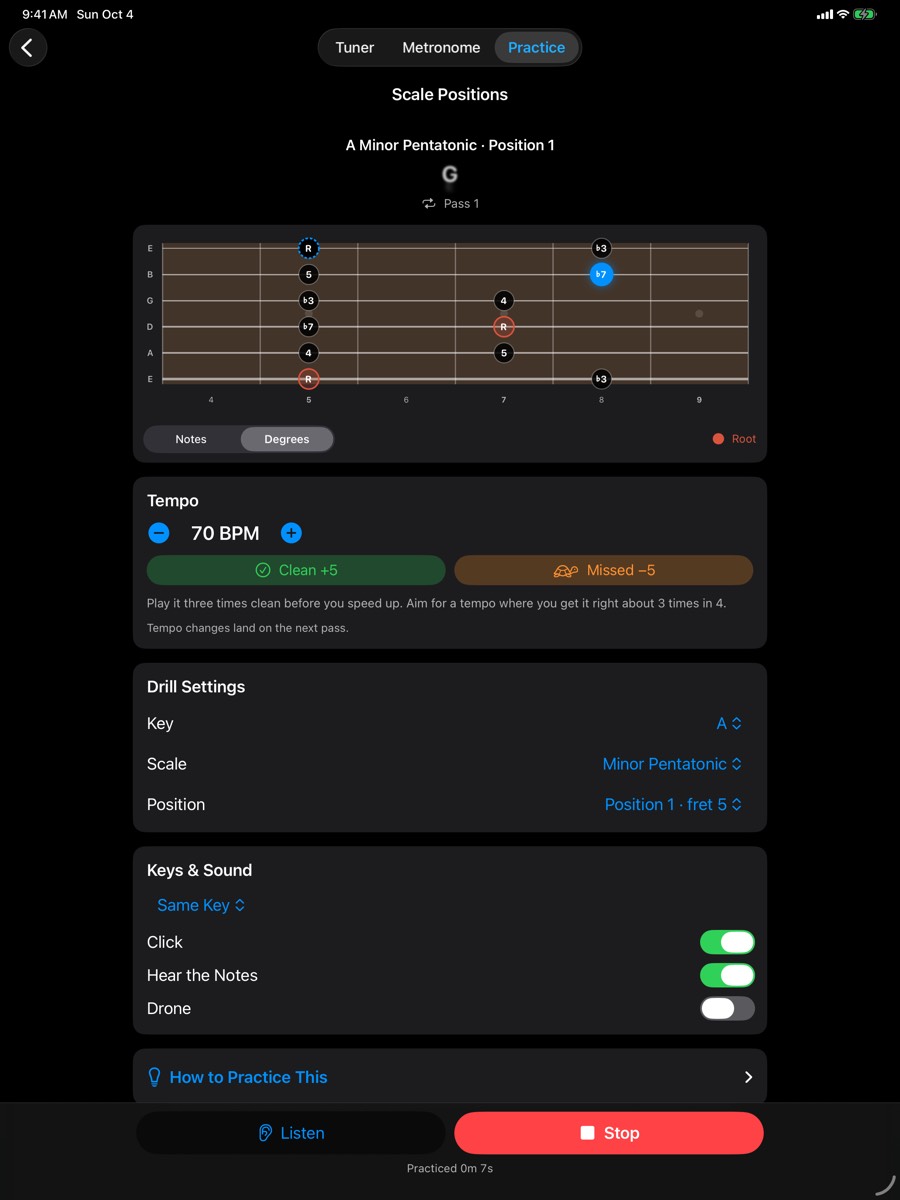
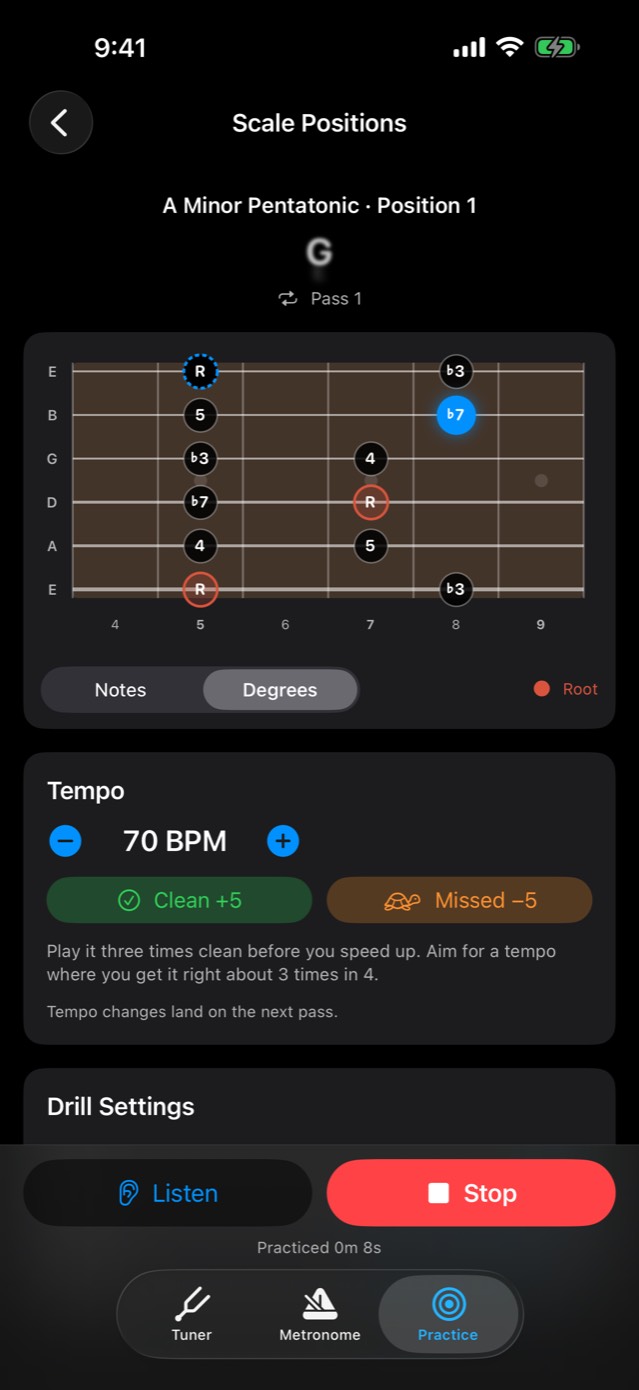
The Practice tab holds guided lessons, drills and a daily routine. Everything plays and shows on your neck or keyboard, in whatever tuning you've chosen.
Lessons
There are guided courses for nine instruments: guitar, piano, bass, mandolin, banjo, violin, viola, cello and ukulele. Each course has five units, beginner to advanced, and about 30 lessons; banjo adds a sixth, Clawhammer & Old-Time. The topics run from the notes on your instrument and steady time to scales, chord changes, ear training, playing a whole song, fingerpicking, harmonizing in 3rds and 6ths, hearing what each chord does, minor keys, borrowed chords and improvising in every key. A "Put It Together" review closes each of the first four units. Each lesson is a short read, followed by drills already set to the right key, scale and tempo.
Banjo has one more unit, Clawhammer & Old-Time: strike and thumb, the bum-ditty and drop thumb, in Double C and Sawmill tuning.
The 48 drills
Each instrument gets the drills that fit it.
- Scales: Scale Positions · 3 Notes per String · Scale on One String · Scale Sequences · Connect Two Positions · Scales, Hands Separate & Together · Scales Around the Circle · Intonation over a Drone
- Arpeggios & Triads: Arpeggios in Position · Triad Inversions Up the Neck · Harmonize the Scale · Triads Through the Changes · Broken-Chord Arpeggios · Double Stops in 3rds & 6ths
- Chords & Changes: 60-Second Chord Changes · Progressions in Every Key · ii–V–I in All Keys · One Chord, Everywhere · Strumming Patterns · Arpeggios Through the Changes · Roots Through the Changes · 10ths Through the Changes · Double-Stop Chords
- Licks & Improvising: Target the Chord Tones · Blues Soloing: Follow the Changes · Guide-Tone Lines · Lick Builder · Call and Response
- Technique: Picking Patterns · Clawhammer · Root–Fifth–Octave · Walking Bass Lines · Chromatic Finger Workout · Hammer-Ons & Pull-Offs · Octave Shapes · Tremolo Scales · Finger Patterns · Five-Finger Patterns · Left-Hand Patterns
- Rhythm & Time: Subdivision Ladder · Gap Click · Displaced Click (on 2 and 4, the offbeats, or beat 1)
- Ear Training: Hear the Interval · Hear the Chord Quality · Hear the Chord in the Key
- Know Your Instrument: Name the Note · Find Every Note · Spell the Chord
How practice works
- Tempo ladder: Clean +5 steps the tempo up 5 BPM and Missed −5 steps it back. Your best clean tempo is saved for every drill.
- Key rotation: Each pass can move to the next key around the circle of fifths.
- Today's Routine: One drill from each area, least recently practiced first, each in a different key.
- Listen mode: Play the drill yourself and Tonic follows you through the mic, note by note. It waits for each note.
- Labels: Show note names or scale degrees. On banjo, show the picking finger (T, I or M).
- Progress: Streaks, minutes practiced, best tempos and finished lessons, kept on your device.
- Screen locked: Drills keep playing when you lock the screen.
Backing Band Beta
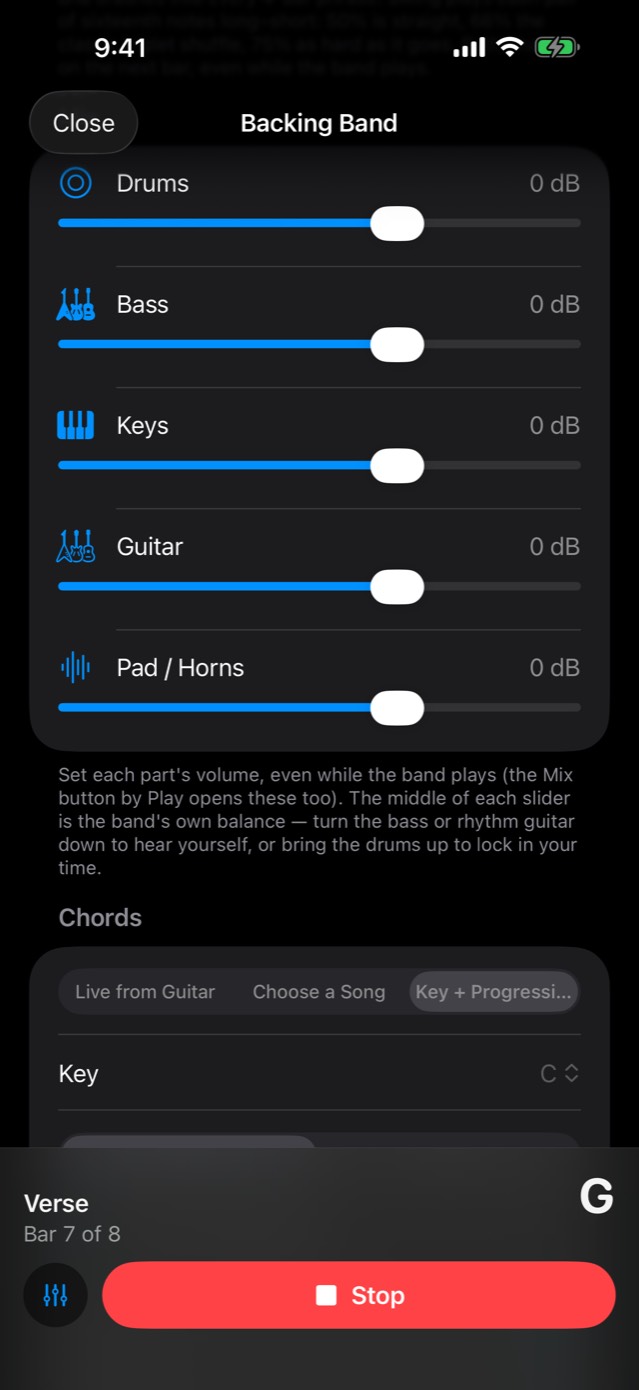
A five-piece band that plays along with your chords. Open it from Menu › Backing Band (Beta).
The band
Drums (acoustic and jazz kits, or drum machines), bass, keys (piano, electric piano, organ, vibraphone or synth), rhythm guitar (acoustic, clean, crunch or heavy), and a pad, pedal steel or horn section. Each feel picks a lineup that suits it, and you can change any part under Sounds.
20 genres, 85 feels
| Genre | Feels include |
|---|---|
| Rock | Straight-ahead, hard, half-time, punk, surf, power ballad |
| Pop | Modern, piano, pop rock, '80s synth, indie, tropical, bedroom, ballad, dance |
| Blues | Classic, Chicago and Texas shuffles, Delta, slow 12/8, boogie, jump, blues rock (each over its 12-bar) |
| Jazz | Swing from ballads to big band, and jazz manouche |
| Funk | Sixteenth-note grooves from deep pocket to fast, and Afrobeat |
| Detroit Soul | Four on the floor, the stomp, shuffles, slow jams |
| Soul & R&B | Classic, Southern, neo-soul |
| Country | Train beats, two-steps, shuffles, ballads |
| Folk & Bluegrass | Stomp and clap, gentle strumming, bluegrass, a Celtic jig in 6/8 |
| Reggae & Ska | One drop, rockers, ska |
| Latin | Bossa nova, samba, cha-cha, reggaeton |
| Hip-Hop | Boom bap, trap, West Coast |
| Lofi | Chill, jazzy and rainy-day beats |
| Gospel | Church shuffle, praise, 12/8 ballads |
| Disco & Dance | Disco, house, synthwave, drum & bass |
| Metal | Double kick, gallop, thrash, doom |
| Spaghetti Western | Galloping toms, standoff snares, wide-open strings |
| Desert Rock | Fuzzy riff grooves, hypnotic desert blues |
| Psychedelic & Jam | Long, open grooves to improvise over |
| Waltz & 3/4 | Classic, jazz and ballad waltzes |
Every feel has its own drums, bass line, comping, swing and Slow / Medium / Fast tempos.
Where the chords come from
- Key + Progression: A key and one of 20 named progressions, or your own. A blues feel loads its 12-bar form.
- Your own progressions: Tap a chord to make it a 7th, maj7, sus2 or sus4, switch it between major and minor, move it, repeat it or remove it, then save the progression by name.
- Choose a Song: Play a progression you saved in Songs.
- Live from Guitar: The band follows the chords you play, through a song structure you set up.
- Follow Me: Start playing. The band comes in on your next beat, at your tempo, and changes chords when you do, until you stop it.
Shaping it
- Song Structure: Intro, verse, chorus and more. It advances by bar count or on a tap, and any section can have its own chords.
- Swing: From straight to a hard shuffle.
- Energy: Light, Medium or Full.
- Mix: A fader for drums, bass, keys, guitar and pad or horns, saved, and live while the band plays.
- While it plays: Tempo, groove, sounds, Swing and Energy all change without stopping, at the next bar.
- My Bands: Save the feel, tempo, instruments, mix, chords and song structure by name. The Backing Band also reopens the way you left it.
- Screen locked: The band keeps playing when you lock the screen.
Metronome
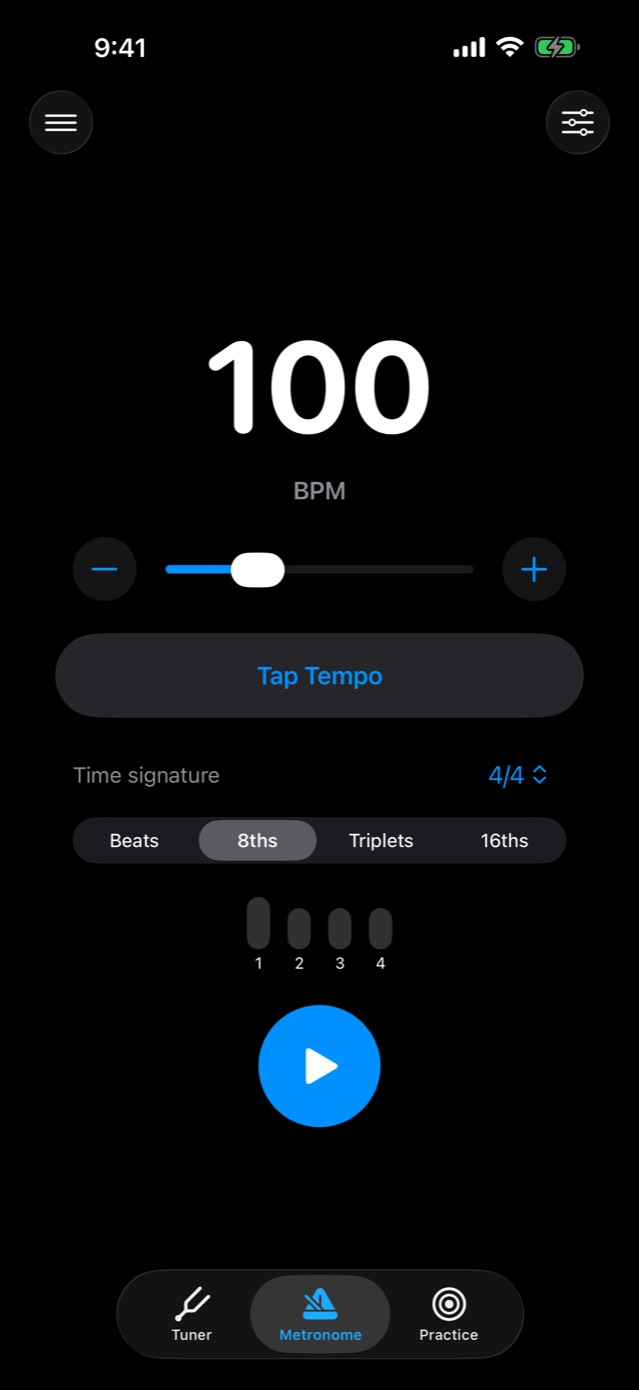
The Metronome tab keeps time from 30 to 300 BPM, placed exactly on the beat.
- Meters: 2/4, 3/4, 4/4, 5/4, 6/4, 7/4, 5/8 (3+2 or 2+3), 6/8, 7/8 (2+2+3, 3+2+2 or 2+3+2), 9/8 and 12/8. Odd meters are grouped the way they're felt.
- Subdivisions: Beats, 8ths, triplets, 16ths.
- Accents: Tap a beat dot to make it accented, normal, soft or silent.
- Tap Tempo.
- Speed Trainer: Raises the tempo on its own, at the bar line, up to a target.
- Gap Click: Drops out for a few bars to test your inner clock, then comes back.
- Sounds: Beep, Wood Block, Stick, Cowbell.
- Flash and vibrate on the beat.
- It keeps playing across tabs and with the screen locked, until you press Stop. Changes land at the next bar.
Key/Chord Finder Beta
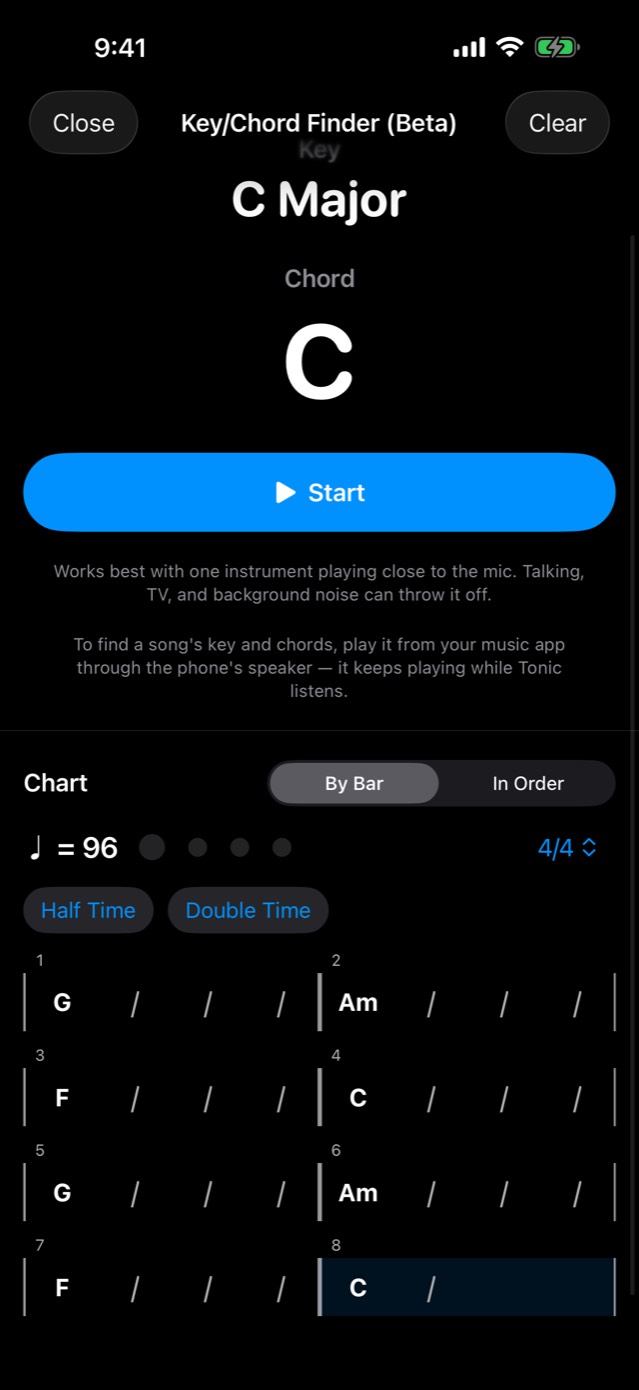
Open Menu › Key/Chord Finder (Beta) and tap Start.
- Names the key and the chord you're playing, live.
- Plays a song from your music app through the phone's speaker, and names that song's key and chords.
- A chart By Bar, with the tempo and 4/4 or 3/4, or In Order. Half Time and Double Time set how the beats are counted.
- It works best with one instrument close to the mic. Talking, TV and background noise can throw it off.
Recorder & Looper
Open Menu › Recorder / Looper.
- Record: With a count-in. Rename takes, sort them into folders, see a take's key and chords, or share one yourself.
- Import: Bring in a song from Files to practice with.
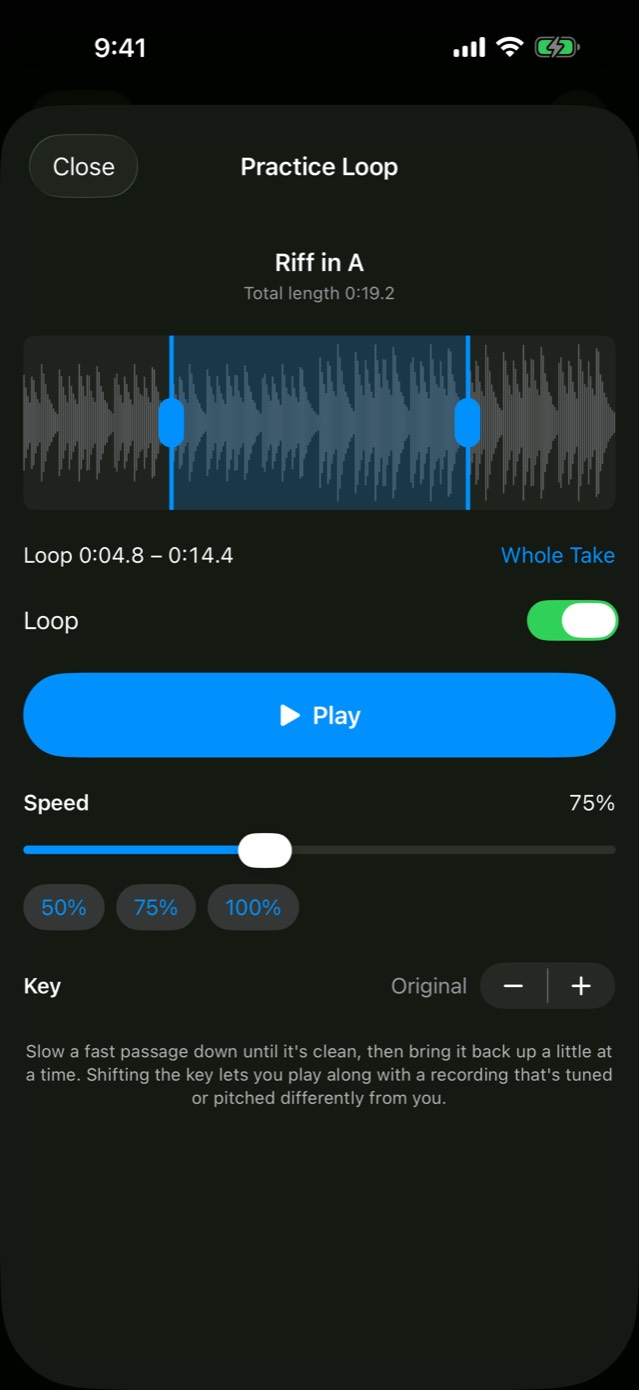
- Practice Loop (the tortoise button): Drag the loop handles on the waveform. Change the speed from 25% to 150% without changing the pitch, or shift the key up or down by up to 12 semitones.
- Looper: Record a first loop, freely or a set number of bars. Layer parts on top, undo or mute any layer, and save the mix to your recordings. Sync nudges overdubs for Bluetooth headphones.
Theory
Menu › Theory explains harmony first, then chords, progressions, keys and reading music, in any key you choose.
- Harmony: Chord Functions (1–7): each chord's job, its major and minor patterns, and where it wants to go. Harmonizing in 3rds, 4ths, 5ths, 6ths and octaves. Moving Through Progressions. Jamming & Improvising: what to aim for over each chord.
- Chords: How Chords Are Built, Chord Formulas, and Diatonic Chords in every key. Every chord shows its formula, intervals and how it comes from the major scale.
- Progressions: 60+ progressions in any key, covering essentials, pop and rock, blues, jazz, minor, borrowed chords and cadences, with every mode heard as a progression. There's a Progression Builder too.
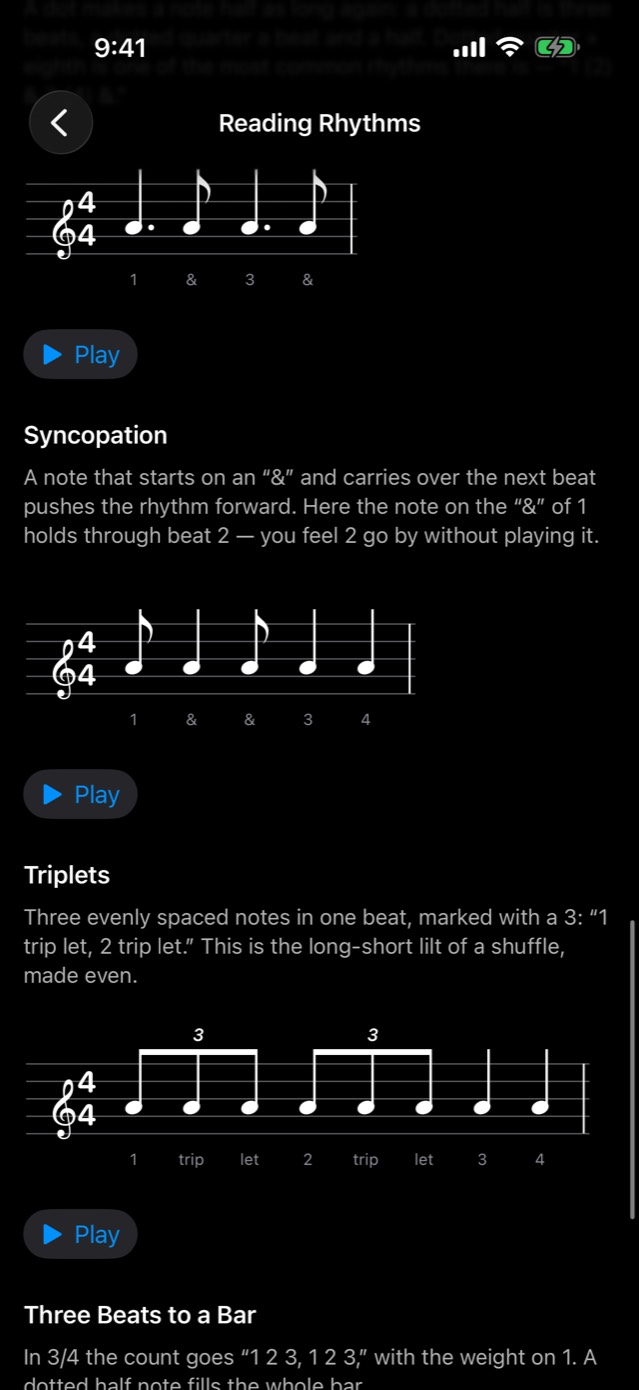
- Keys & Reading: The circle of fifths. Reading Sheet Music: notes on the staff, durations, key and time signatures, intervals, dynamics and articulation, symbols, and a Note Finder quiz. Reading Rhythms, with each rhythm counted and played. Reading Tab, Reading Chord Charts and Song Form. The Nashville Number System, with a transposer and a capo finder.
Instruments
Menu › Instruments has a reference page for each instrument, in any tuning.
- Guitar, bass, ukulele, mandolin and banjo: Scales and modes on a note map or by position. A Chord Finder with open shapes (and CAGED shapes on guitar), a capo chart, arpeggio shapes up the neck, a Triad Finder, diatonic triads, and Progression Voicings: any progression as full chords or as triads on a string set.
- Bass and double bass: Bass Lines & Shapes: root–fifth–octave, the fifth below, chord tones and a walking I–vi–ii–V.
- Banjo: The four standard rolls, written out over G and C.
- Violin, viola, cello and double bass: Scales and positions on the fingerboard.
- Piano: Scales, chords and inversions on a keyboard.
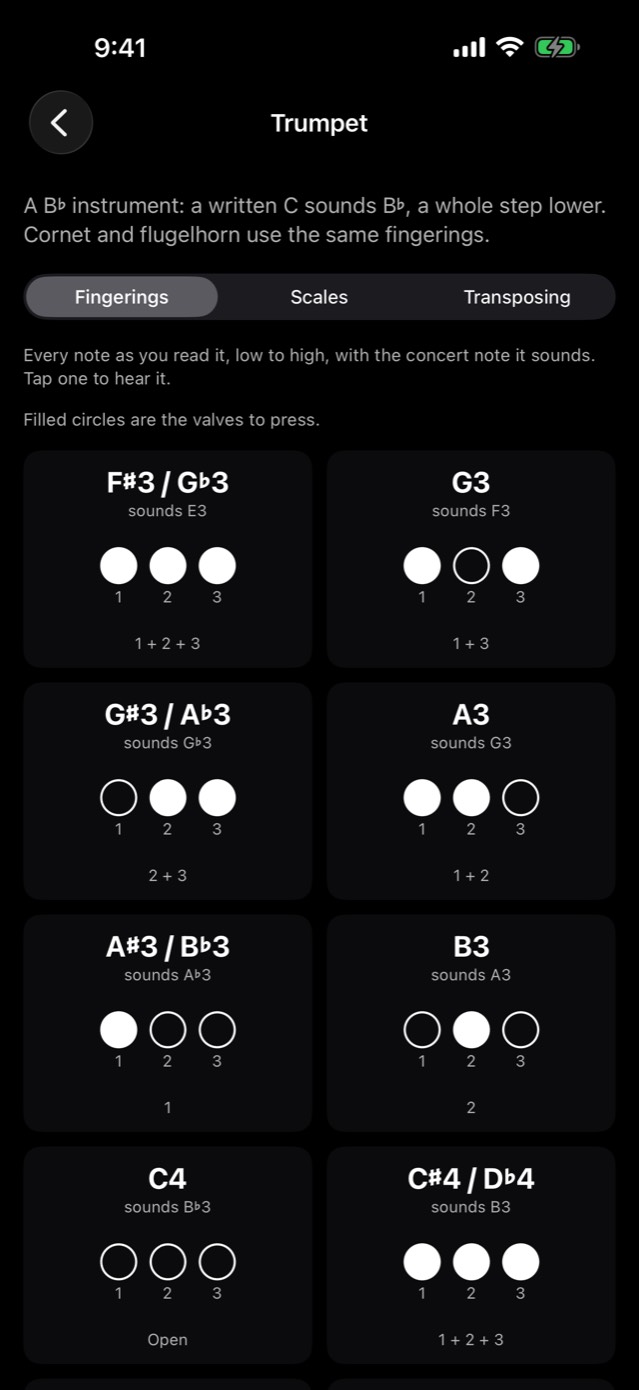
- Brass and woodwinds: Trumpet, French horn, trombone, euphonium, tuba, flute, oboe, clarinet, bassoon, and alto and tenor sax. Each has a fingering chart for every note (tap one to hear it), scales and arpeggios with every fingering, and a Transposing page that turns concert notes into the ones you read.
Ear Training
Menu › Ear Training, plus the Ear Training drills in Practice. Hear intervals, triad and 7th chord qualities, and the chords of a key (home chord, then I, ii, IV, V or vi). A running tally shows you improving. There's no score to chase.
Songs
Menu › Songs. Save a song as a chord progression with a key and tempo, plus lyrics or notes. Then choose it in the Backing Band and play it with the band.
Everywhere in the app
- iPhone and iPad, iOS 17 or later, in portrait and landscape. On iPad the tuner, metronome, fretboards and keyboard grow with the screen.
- English and Spanish, the whole app.
- VoiceOver: Controls are labeled for it.
- Your music keeps playing when you open Tonic, so you can tune, count in or record along with a song.
- The screen stays awake while you tune, play along or practice.
- Offline: Nothing needs the internet.
- Private: No account, no analytics, nothing collected. Privacy policy
- Appearance: Light, dark or the system setting.
$4.99 once · iPhone and iPad · iOS 17 or later · Works offline · English and Spanish